Collabix Backend
The real-time API powering Collabix, a team collaboration platform (workspaces, projects, tasks, chat, notifications). Built with NestJS and Clean Architecture, with live updates over Socket.IO.
📋 Overview
Collabix API is the NestJS backend powering Collabix, a real-time team collaboration platform structured around a Workspace → Project → Task hierarchy. Built with Clean Architecture (domain, application, infrastructure, and presentation layers), it exposes a REST API plus five Socket.IO gateways — chat, tasks, presence, notifications, and activity — so the frontend gets live updates without polling or manual refreshes.
✨ Features
- JWT auth (access + refresh) with email verification, Google & GitHub OAuth
- Workspace → Project → Task hierarchy with role-based access (OWNER/ADMIN/MEMBER)
- Real-time chat with typing indicators and threaded conversations (Socket.IO)
- Live in-app notifications with unread counts pushed over WebSocket
- Online/offline presence broadcast per workspace & project
- Threaded task comments with cursor pagination
- Full activity feed / audit trail at workspace, project & task scope
- Manager promotion requests reviewed by admins
- Admin, workspace & project overview dashboards with aggregate stats
- Cloudinary avatar & file uploads
- Redis-backed caching and refresh token storage
- Rate limiting on auth routes, Swagger/OpenAPI docs, Dockerized for dev & deploy
🛠️ Technologies Used
📋 Prerequisites
- Node.js (v18+)
- npm
- Docker & Docker Compose
💡 Usage
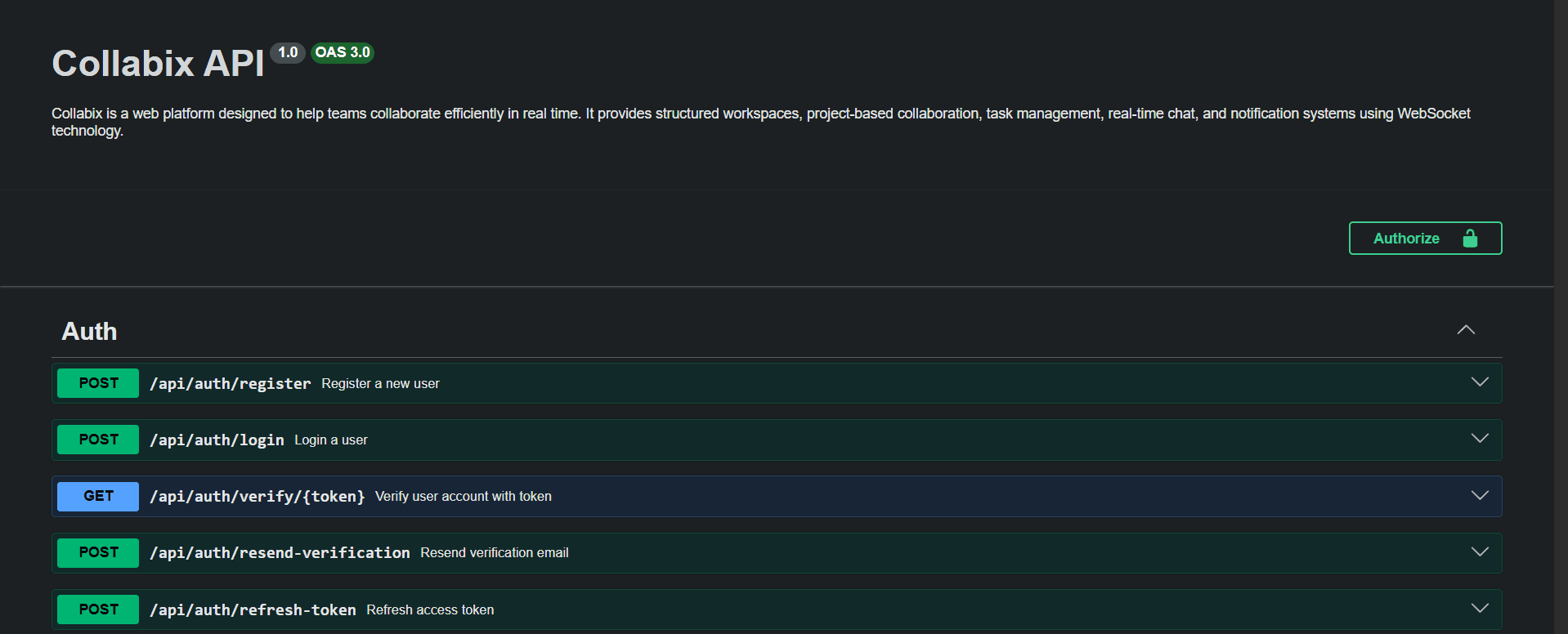
Run the API, then browse the interactive Swagger UI to explore every REST route. Connect a Socket.IO client with { auth: { token: accessToken } } to the /chat, /tasks, /presence, /notifications, or /activity namespaces for live updates.
🚀 Deployment
- Provision PostgreSQL & Redis (Docker Compose)
- Build the production image from the provided Dockerfile
- Configure environment variables
- Run the container on the server
🔐 Environment Variables
| Variable | Description | Example |
|---|---|---|
| NODE_ENV | Runtime environment | development |
| APP_PORT | Port the API listens on | 5000 |
| FRONTEND_URL | Frontend app URL (CORS, email links) | http://localhost:3000 |
| BACKEND_URL | Backend's own public URL | http://localhost:5000 |
| DATABASE_HOST | PostgreSQL host | localhost |
| DATABASE_PORT | PostgreSQL port | 5432 |
| DATABASE_USERNAME | PostgreSQL username | postgres |
| DATABASE_PASSWORD | PostgreSQL password | your_password |
| DATABASE_NAME | PostgreSQL database name | db_name |
| REDIS_HOST | Redis host | localhost |
| REDIS_PORT | Redis port | 6379 |
| JWT_ACCESS_TOKEN_SECRET | Secret for signing access tokens | your_access_token_secret |
| JWT_ACCESS_TOKEN_EXPIRES_IN | Access token lifetime | 15m |
| JWT_REFRESH_TOKEN_SECRET | Secret for signing refresh tokens | your_refresh_token_secret |
| JWT_REFRESH_TOKEN_EXPIRES_IN | Refresh token lifetime | 7d |
| JWT_RESET_PASSWORD_SECRET | Secret for password-reset tokens | your_reset_password_secret |
| JWT_RESET_PASSWORD_EXPIRES_IN | Password-reset token lifetime | 1h |
| MAIL_HOST | SMTP host | smtp.gmail.com |
| MAIL_PORT | SMTP port | 587 |
| MAIL_USER | SMTP username | your_email@gmail.com |
| MAIL_PASSWORD | SMTP password / app password | your_app_password |
| MAIL_FROM | From address for transactional email | noreply@example.com |
| GOOGLE_CLIENT_ID | Google OAuth client ID | your_google_client_id |
| GOOGLE_CLIENT_SECRET | Google OAuth client secret | your_google_client_secret |
| GOOGLE_CALLBACK_URL | Google OAuth callback URL | http://localhost:5000/auth/oauth/google/callback |
| GITHUB_CLIENT_ID | GitHub OAuth client ID | your_github_client_id |
| GITHUB_CLIENT_SECRET | GitHub OAuth client secret | your_github_client_secret |
| GITHUB_CALLBACK_URL | GitHub OAuth callback URL | http://localhost:5000/auth/oauth/github/callback |
| CLOUDINARY_CLOUD_NAME | Cloudinary cloud name | your_cloud_name |
| CLOUDINARY_API_KEY | Cloudinary API key | your_api_key |
| CLOUDINARY_API_SECRET | Cloudinary API secret | your_api_secret |
| USER_PASSWORD_MIN_LENGTH | Minimum password length policy | 8 |
| USER_PASSWORD_REQUIRE_UPPERCASE | Require an uppercase character | true |
| USER_PASSWORD_REQUIRE_LOWERCASE | Require a lowercase character | true |
| USER_PASSWORD_REQUIRE_NUMBER | Require a number | true |
| USER_PASSWORD_REQUIRE_SPECIAL | Require a special character | true |
📝 Notes
Full REST + WebSocket contract (every route, payload shape, and enum) lives in the project's API_REFERENCE.md, with feature deep-dives on chat, presence, notifications, activity, and invitations in its docs/ folder.